Prerequisites
Before you can configure and use LlamaIndex with Connect AI, you must do the following:- Connect a data source to your Connect AI account. See Sources for more information.
- Generate an OAuth JWT bearer token. Copy this down, as it acts as your password during authentication.
- Obtain an OpenAI API key: https://platform.openai.com.
- Make sure you have Python >= 3.10 in order to install the LlamaIndex packages.
Create the Python Files
1
Create a folder for LlamaIndex MCP.
2
Create a Python file within the folder called
llamaindex.py.3
In
llamaindex.py, set up your MCP server and MCP client to call the tools and prompts. For Authorization, you need to change Basic to Bearer and provide the JWT bearer token from the prerequisites.Install the LlamaIndex Packages
Run the following command in your project terminal:Run the Python Script
1
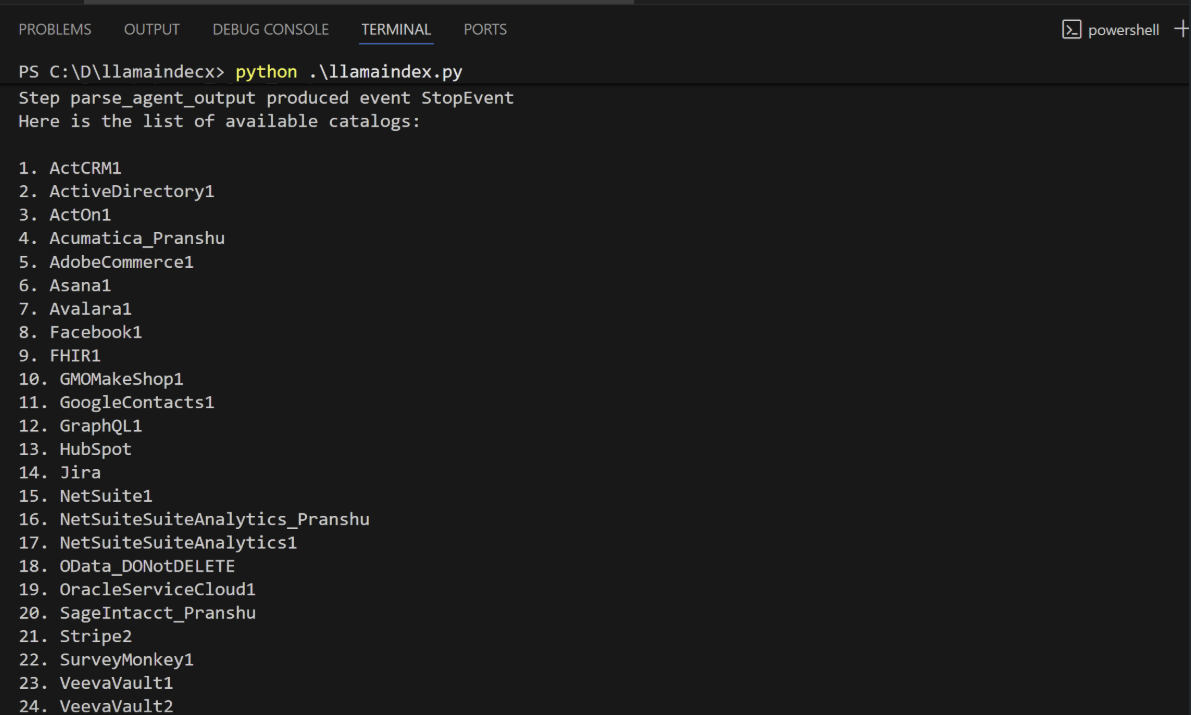
When the installation finishes, run the following command to execute the script:
2
The script discovers the Connect AI MCP tools needed for the LLM to query the connected data.
3
Supply a prompt for the agent. The agent provides a response.