
Prerequisites

Before you can configure and use LangChain with Connect AI, you must first do the following:
  • Connect a data source to your Connect AI account. See Sources for more information.
  • Generate an OAuth JWT bearer token. Copy this down, as it acts as your password during authentication.
  • Obtain an OpenAI API key: https://platform.openai.com/.
  • Make sure you have Python >= 3.10 in order to install the LangChain and LangGraph packages.

Create the Python Files

1
Create a folder for LangChain MCP.
2
Create two Python files within the folder: config.py and langchain.py.
3
In config.py, create a class Config to define your MCP server authentication and URL. MCP_AUTH should be set to "OAUTH_JWT_TOKEN", not EMAIL:PAT:
class Config:
    MCP_BASE_URL = "https://mcp.cloud.cdata.com/mcp"   #MCP Server URL
    MCP_AUTH = "base64encoded(EMAIL:PAT)"   #Base64 encoded Connect AI Email:PAT
4
In langchain.py, set up your MCP server and MCP client to call the tools and prompts:
"""
Integrates a LangChain ReAct agent with CData Connect AI MCP server.
The script demonstrates fetching, filtering, and using tools with an LLM for agent-based reasoning.
"""
import asyncio
from langchain_mcp_adapters.client import MultiServerMCPClient
from langchain_openai import ChatOpenAI
from langgraph.prebuilt import create_react_agent
from config import Config

async def main():
    # Initialize MCP client with one or more server URLs    
    mcp_client = MultiServerMCPClient(
        connections={
            "default": {  # you can name this anything
            "transport": "streamable_http",
            "url": Config.MCP_BASE_URL,
            "headers": {"Authorization": f"Basic {Config.MCP_AUTH}"},
        }
    }
    )
    # Load remote MCP tools exposed by the server
    all_mcp_tools = await mcp_client.get_tools()
    print("Discovered MCP tools:", [tool.name for tool in all_mcp_tools])
    # Create and run the ReAct style agent
    llm = ChatOpenAI(
        model="gpt-4o", 
        temperature=0.2,
        api_key="YOUR_OPEN_API_KEY"   #Use your OpenAPI Key here. This can be found here: https://platform.openai.com/.
    )
    agent = create_react_agent(llm, all_mcp_tools)
    user_prompt = "Tell me how many sales I had in Q1 for the current fiscal year."   #Change prompts as per need
    print(f"\nUser prompt: {user_prompt}")
    # Send a prompt asking the agent to use the MCP tools
    response = await agent.ainvoke(
        { "messages": [{ "role": "user", "content": (user_prompt),}]}
    )
    # Print out the agent's final response
    final_msg = response["messages"][-1].content
    print("Agent final response:", final_msg)

if __name__ == "__main__":
    asyncio.run(main())

Install the LangChain and LangGraph Packages

Run the following command in your project terminal:
pip install langchain-mcp-adapters langchain-openai langgraph

Run the Python Script

1
When the installation finishes, run the following command to execute the script:
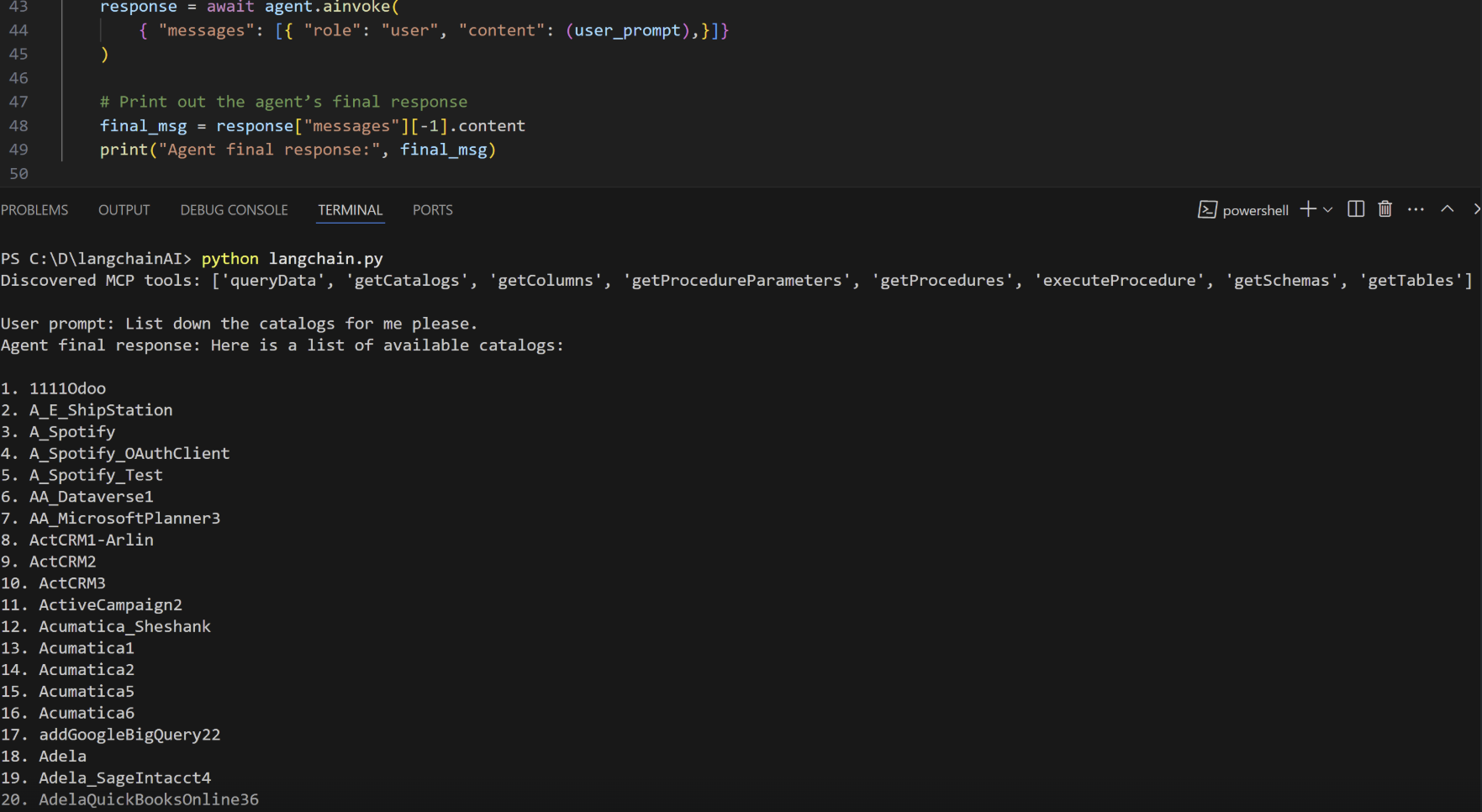
python langchain.py
2
The script discovers the Connect AI MCP tools needed for the LLM to query the connected data.
3
Supply a prompt for the agent. The agent provides a response.
LangChain Client Terminal