Prerequisites
Before you can configure and use CrewAI with Connect AI, you must do the following:- Connect a data source to your Connect AI account. See Sources for more information.
- Generate an OAuth JWT bearer token. Copy this down, as it acts as your password during authentication.
- Obtain an OpenAI API key: https://platform.openai.com/.
- Make sure you have Python >= 3.10 in order to use the CrewAI tools.
Configure the Connect AI MCP Server
1
Create a folder named
cdata-mcp-crew-agent.2
Create a file with the extension
.env in the cdata-mcp-crew-agent folder.3
Copy and paste the content below. Instead of MCP_USERNAME and MCP_PASSWORD, use the OAuth JWT token from the prerequisites to authenticate. Your OpenAI API key can be found at https://platform.openai.com/.
Install the CrewAI Libraries
Run the following command in your terminal:Create and Run the CrewAI Agent
1
Create a file called
crew-agent.py. This is the CrewAI agent.2
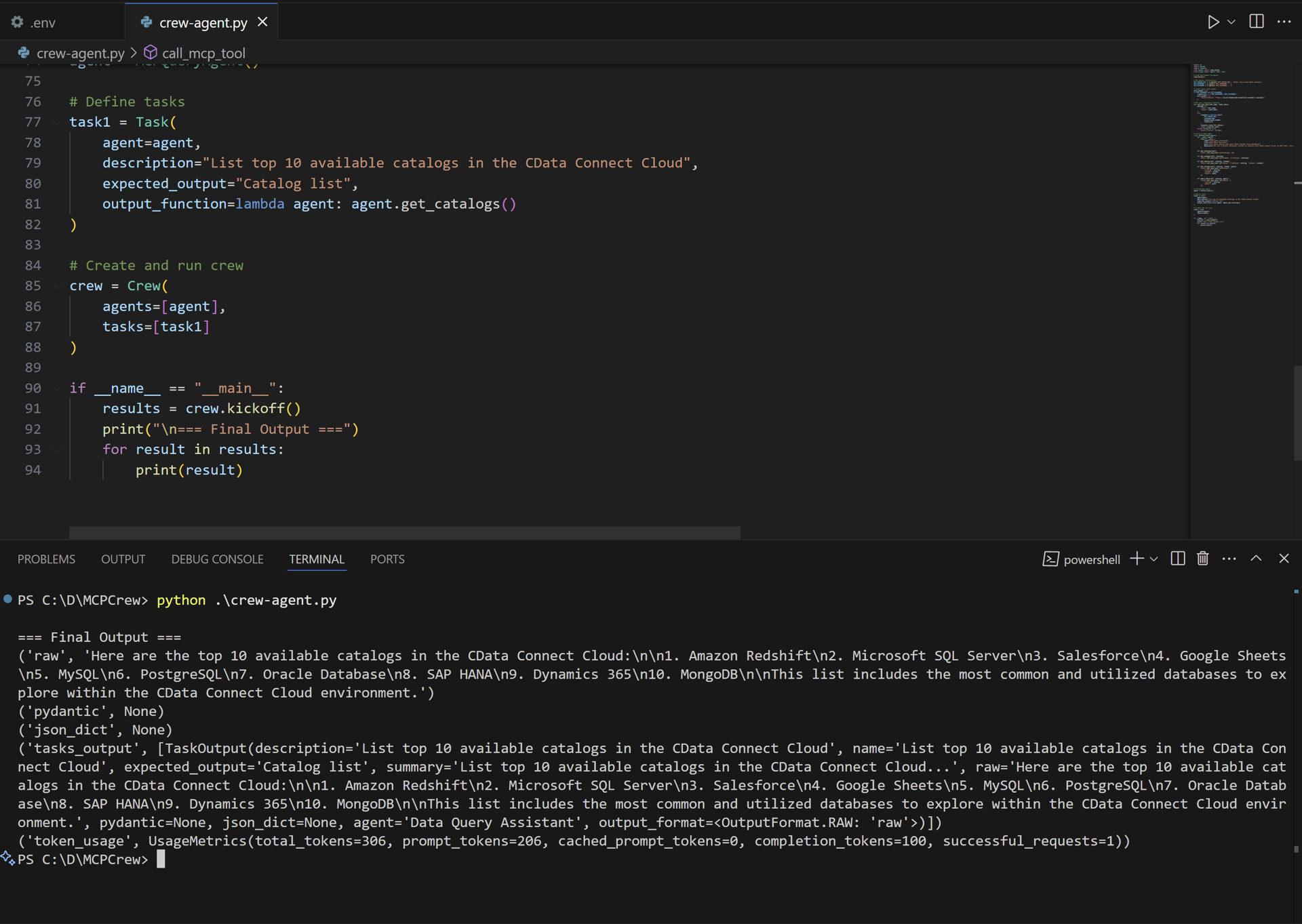
Copy and paste the following, defining the agent’s tasks as desired:
Note: For Embedded Cloud, you do not need the
MCP_USERNAME or MCP_PASSWORD. Enter your OAuth JWT credentials in auth_header.3
Run the following command in the terminal. The output displays the results of the task: