Before you can configure and use SSIS with Connect AI, you must first connect a data source to your Connect AI account. See Sources for more information.
Install the Provider
Follow these steps to download and install the Components:1
Open the Integrations page of Connect AI.
2
In the Dev Tools section, click SSIS.
3
Download and run the setup file.
4
The installer can automatically detect software that supports SSIS. Select the options that you want the installer to configure.
Connect to Connect AI
To add a new Connect AI connection to the SSIS package, follow these steps:1
Right-click within the Connection Manager window and select New Connection from the menu.
2
Choose the Connect AI Connection Manager from the Add SSIS Connection Manager window.
3
The OAuth endpoint opens in your default web browser. Log in to complete the OAuth process.
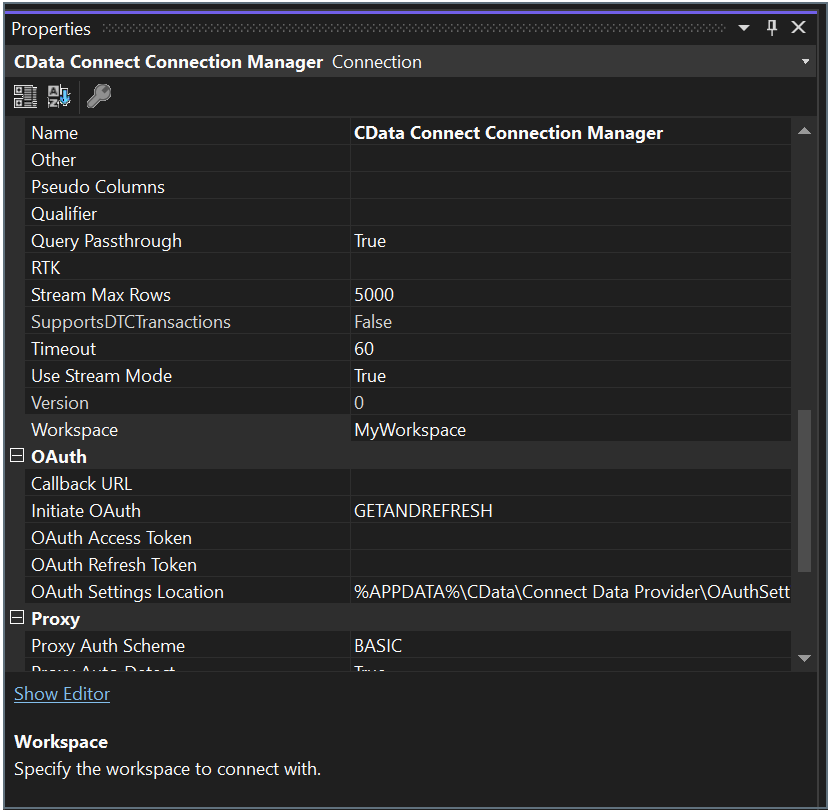
Connect to a Workspace
To connect the SSIS client to a specific workspace, you specify the workspace name in the Workspace field of the Connect AI Connection Manager.